Hello Neighbor
Screenshots
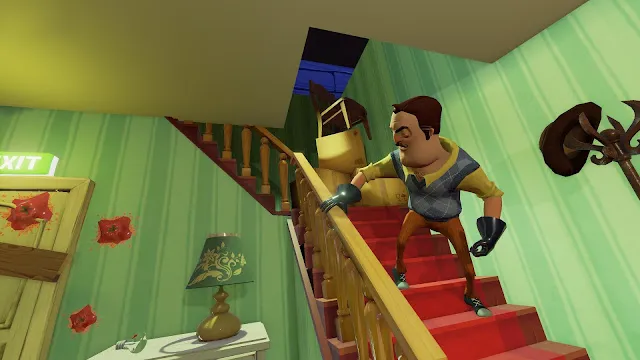


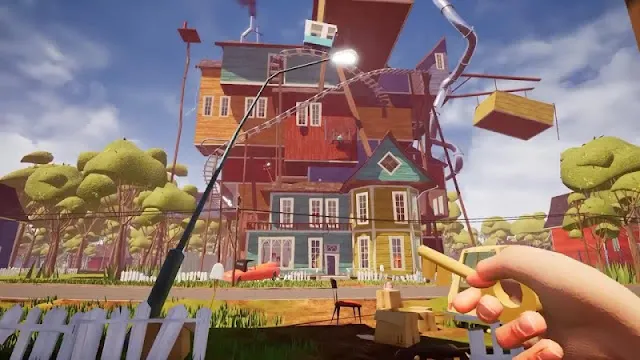
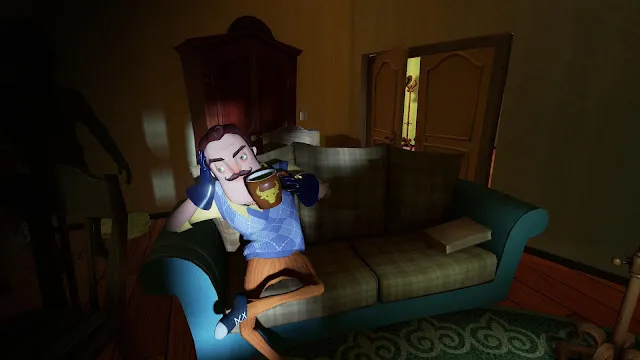

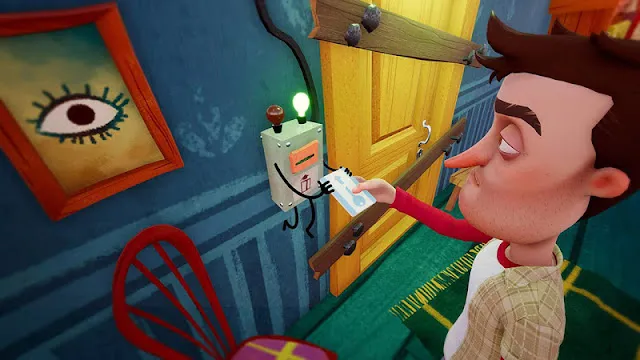
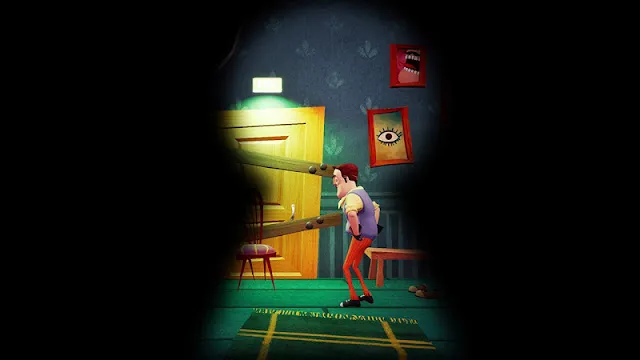
Hello Neighbor arrives on Android devices. This popular game brings its unique stealth-horror experience to your phone or tablet. You step into the shoes of Nicky Roth. Nicky suspects his creepy neighbor, Mr. Peterson, hides a dark secret. Specifically, this secret sits deep within his mysterious, expansive basement. Therefore, you must sneak into the neighbor’s house and uncover the truth.
This mobile version offers the same suspenseful gameplay PC and console players love. However, developers optimized it for touchscreen controls. You navigate a brightly-colored yet unsettling suburban environment. Your primary goal remains simple: find a way into the basement. Yet, achieving this goal is intensely challenging. Why? Because the Neighbor’s advanced Artificial Intelligence (AI) constantly learns from your actions.
What is Hello Neighbor for Android?
Hello Neighbor is a popular stealth-horror video game. You play as Nicky Roth. You just moved into a quiet, suburban neighborhood. However, you notice something is wrong next door.
The mysterious neighbor, Theodore Peterson, acts very strange. You suspect he hides a dark secret. You believe he keeps this secret in his house’s basement.
Core Concept and Gameplay
The game centers on sneaking and puzzle-solving. Your main goal is to break into the neighbor’s house. You must explore the home and find a way into his locked basement.
- You must avoid detection at all costs.
- The game uses a first-person perspective.
- You collect objects and solve various puzzles. You use these to unlock new areas.
Furthermore, the game features a highly advanced, adaptive Artificial Intelligence (AI). The Neighbor learns from your every action. If you use the same window twice, he may set a bear trap there next time. Therefore, you must constantly change your approach. This makes the gameplay very challenging and unpredictable. If he catches you, he sends you back to your own house. You then must try again.
Mobile Version Features
The Android version brings the full game experience to your phone. It allows you to play the core story. However, the mobile version differs slightly from the PC and console versions.
- It often provides a free trial for the first part of the game (Act 1). You must buy the rest of the game to continue.
- The controls adapt for touch screens. This means you use virtual joysticks and buttons. Some players find these controls “janky” or less precise.
- Developers optimize the game for mobile hardware. Consequently, this can result in slightly lower graphic details or missing elements.
For instance, the mobile version might have:
- Less detailed environments.
- Fewer interactive objects like drawers or cupboards.
- A different jump height or sprint speed compared to the PC version.
Despite these changes, the mobile version offers a convenient, on-the-go experience. You can play this intense stealth game anywhere.
Who is Hello Neighbor Suitable For?
The game appeals to a specific audience.
Age Group
Hello Neighbor receives ratings of E10+ (Everyone 10 and older) from the ESRB. PEGI rates the game as 12.
- It contains mild cartoon violence and horror/fear themes.
- The game features a suspenseful, creepy atmosphere.
- It avoids excessive gore or blood.
Therefore, the game suits pre-teens and teenagers. Parents should feel comfortable with its cartoonish, less intense horror style.
Type of Players
This game is perfect for players who:
- Enjoy stealth games. They must like staying hidden and moving quietly.
- Love complex puzzles. The house acts as a giant logic puzzle you must solve.
- Welcome a challenge. The adaptive AI ensures the game remains difficult. You must learn and adapt quickly.
- Like mystery and story. You uncover a deep and strange narrative as you progress.
Do you seek a unique, intelligent stealth challenge on your Android device? Then give Hello Neighbor a try.
Key Features of Hello Neighbor on Android
Hello Neighbor offers an engaging experience on your phone. It combines fear with puzzle-solving.
Stealth-Based Gameplay
The core game relies on sneaking. Players must break into the Neighbor’s house. You need to hide from the Neighbor. Solve clever puzzles to unlock secrets. Explore the house without getting caught. This creates intense, heart-pounding moments.
Smart AI Neighbor
A unique element is the Neighbor’s AI. This AI is incredibly smart. It learns from your actions. If you use a window often, the Neighbor will trap that window. This adaptive behavior keeps the game challenging. Therefore, the experience is always fresh and unpredictable.
Smooth Mobile Controls
The developers optimized the controls for mobile. Touchscreen navigation is intuitive. Players interact easily with objects. These smooth controls make playing on a phone simple. You move your character and solve puzzles effortlessly.
Story-Driven Experience
The game features a deep, mysterious story. You explore the Neighbor’s house to uncover a secret. This mystery drives the exploration. There is plenty of suspense. Players must put clues together to understand the truth.
High-Quality Graphics & Sound
Hello Neighbor uses a distinct visual style. The Android version includes high-quality graphics. These visuals are optimized for mobile screens. In addition, the creepy sound design builds atmosphere. The sound effects and music enhance the terror.
Free-to-Play with In-App Purchases
The game uses a Free-to-Play model. You can download the game for free. Players enjoy the first act at no cost. However, you pay a fee to unlock the rest of the game. This includes all subsequent acts. Thus, players can try before they buy the full experience.
Step-by-Step: Getting Hello Neighbor APK on Android
Are you ready to play Hello Neighbor on your Android device? This exciting stealth horror game is very popular. This guide shows you how to install the APK file easily.
What is an APK?
First, you should understand what an APK is. APK stands for Android Package Kit. This is the file format Android uses to distribute and install mobile apps. You need this file because the official game might not be on the Google Play Store in all regions or might have a cost. Using an APK lets you install it directly.
Step 1: Check Your Device Settings
You must allow installations from unknown sources. This is a very important security setting. By default, Android blocks these installations.
- Go to your phone’s Settings.
- Tap on Security or Privacy (this varies by phone).
- Look for “Install unknown apps” or “Unknown sources.”
- Enable this setting for the browser you will use to download the APK (like Chrome or Firefox).
Note: Always disable this setting later. This keeps your device safer.
Step 2: Download the Hello Neighbor APK
- Open your web browser on your Android phone.
- Visit Filetomob.com.
- Search for “Hello Neighbor APK download.”
- Visit the game page.
- Locate the download link for the latest version.
- Tap the download button. The APK file will start downloading to your device.
Step 3: Locate the Downloaded File
The download finishes quickly. Now, you must find the file on your device.
- Open your phone’s File Manager app.
- Go to the Downloads folder.
- You will see the Hello Neighbor APK file there. It might be named something like Hello_Neighbor.apk.
Step 4: Install the Game
This is the final step. You will install the application onto your phone.
- Tap on the downloaded APK file in the Downloads folder.
- A prompt will appear. It asks you to confirm the installation.
- Tap the Install button.
- The installation process takes a minute or two.
- When it finishes, you will see a message: “App installed.”
Step 5: Start Playing!
You successfully installed the game!
- Tap Open to start playing immediately.
- Alternatively, you can find the Hello Neighbor icon on your home screen or in your app drawer.
- Launch the game and begin your scary adventure!
A Final Security Reminder
You installed the game. Therefore, you should protect your device again.
- Go back to Settings.
- Disable the “Install unknown apps” or “Unknown sources” setting.
Enjoy exploring your creepy neighbor’s house! Have fun playing Hello Neighbor on Android.
Hello Neighbor Android System Requirements
You need a capable device to run Hello Neighbor. This is a graphically demanding 3D game. You want a smooth experience. Therefore, check your device’s specifications first.
Minimum Requirements
These specifications allow the game to run. Performance might not be perfect.
- Android OS Version: Android 8.0 (Oreo) or newer.
- RAM: 3 GB of RAM.
- Storage Space: Approximately 1.8 GB of free space.
- Note: The download size can be smaller. However, the game requires more space after installation.
Recommended Specifications
Use these specifications for the best gameplay experience. They provide smoother performance and better graphics quality.
- Processor: Devices with Exynos or Snapdragon 8xx series processors (e.g., 835, 845, 855, or newer) are typically optimized.
- RAM: 4 GB of RAM or more.
- Storage Space: 2 GB or more of free space.
A Note on Device Compatibility
- Performance varies widely. The game uses complex AI and 3D environments.
- Older or mid-range devices may experience issues. You might see frame rate drops or lag.
- Close other applications. This frees up RAM. It helps the game run better.
- Check the official store. If the game is on the Google Play Store for your device, it is likely compatible. However, an APK sideload bypasses this check. Proceed with caution if your device is near the minimum requirements.
Hello Neighbor: Get Started on Android
You have successfully installed the Hello Neighbor APK. Now, the real game begins! This guide helps you start your sneaky adventure.
Understand the Objective
You play as Nicky Roth. You just moved into a new neighborhood. Then you see strange things happening next door.
- Your Goal: Sneak into your Neighbor’s basement.
- The Problem: Your creepy Neighbor, Mr. Peterson, tries to stop you.
- The Secret: You must find the dark secret he hides down there.
The game uses an advanced A.I.. It learns from your actions. Therefore, you must be clever.
Master the Controls
First, familiarize yourself with the mobile controls. They use on-screen elements.
- Movement: Use the virtual joystick on the left. You move forward, backward, and side-to-side.
- Look/Aim: Swipe your right thumb across the screen. This controls the camera view.
- Jump: Look for a jump button icon. Tap it to jump over objects.
- Crouch/Sneak: Use the crouch icon to stay quiet. Sneaking reduces the sound you make.
- Interact/Pick Up: Aim the center reticle at an object. A prompt appears. Tap the action button to pick it up or interact.
- Inventory: You have a small inventory. You can carry only a few items. Manage it wisely.
Initial Strategy Tips
The Neighbor is smart. You must be smarter.
- Be Stealthy: Stay in a crouch when near the house. Avoid making loud noises.
- Observe Him: Watch the Neighbor’s patrol route. Plan your entry when he moves away.
- Use Distractions: Throw objects like balls or alarm clocks. They make noise. This draws the Neighbor’s attention away from your path.
- Know Your Escape: Always plan your exit route. The Neighbor learns from where you break in.
- Look Everywhere: The house is a giant puzzle. Examine every room. Collect every item. You need objects to solve puzzles and unlock new areas.
- Stack Items: You can stack boxes or chairs. Use them to reach high windows or ledges.
What to Expect in Act 1
The game starts with Act 1. This acts as a tutorial.
- You see the Neighbor lock his basement door.
- Your first objective is simply to get inside his house.
- You must reach the basement entrance to proceed.
Be warned: Getting caught is part of the game. If he catches you, you return to your own house. However, the Neighbor learns and sets new traps on your next attempt.
Hello Neighbor Mobile: First Impressions Review
The popular stealth-horror game Hello Neighbor has arrived on mobile. This port brings the core experience to your pocket. But does the transition from PC/console to touchscreen work? We explore the controls, visuals, and crucial audio experience.
Controls & Adaptability
Console and PC players use controllers or a mouse and keyboard. Touchscreen controls feel significantly different. The mobile port uses virtual joysticks for movement and camera control.
- You use the left side to walk or sprint.
- The right side handles your camera view.
- Action buttons appear on the screen. These include jump, crouch, and interact.
- Customizability of the layout is often limited.
Consequently, precise movements become tricky. The virtual joystick sometimes feels clunky. This makes escaping the Neighbor much harder. For instance, complex jumps or object placement require high precision. The mobile controls often fight against this need.
Graphics and Performance
The mobile version offers a simplified visual experience. Developers worked to adapt the graphics for mobile hardware. They removed unnecessary geometry and simplified post-processes.
- Visual quality is lower than on other platforms.
- Optimization helps the game run on various devices.
- However, players often report performance hiccups.
- Frame rate stability can suffer, especially on older devices.
- You may experience persistent lag and stuttering.
Therefore, prepare to adjust graphics settings if they are available. You want to prioritize a smooth frame rate over high fidelity. Otherwise, the janky performance can ruin the stealth experience.
The Audio Experience
Sound is vital for survival in Hello Neighbor. It gives you a critical advantage. You rely on sound cues to track the enemy.
- Listen for the Neighbor’s footsteps.
- Pay attention to creaking floorboards.
- Sound tells you his location and proximity.
Therefore, we strongly recommend using headphones. Headphones make these subtle sound cues much clearer. They dramatically increase your chances of successfully sneaking around. You will hear him coming.
Hello Neighbor Mobile: Unique Features and Experience
The mobile version of Hello Neighbor offers a distinct experience. It adapts the full PC game for your smartphone. Developers included specific features for Android users.
Act 1 is a Free Trial
The game appears as a free download. This is an important detail. You do not pay anything to install it initially. However, the free download only gives you access to Act 1.
- Act 1 is the beginning of the story.
- You can test the gameplay.
- You experience the first part of the mystery for free.
- This lets you check device performance before committing.
Unlocking the Full Game
You want to continue the full story. Therefore, you must buy the remaining content.
- The rest of the game includes Act 2, Act 3, and the Finale.
- You unlock these through a single in-app purchase.
- This purchase gives you permanent access to the entire game.
- The pricing is competitive with other full mobile games.
Optimized Controls for Touch
PC games use many keyboard keys and mouse movements. Developers knew they must simplify this for phones. They made the controls mobile-friendly.
- The game uses a virtual joystick on the screen. This handles character movement.
- They added simplified action buttons. These appear for interacting with objects.
- You swipe the screen to move the camera. This mimics mouse movement.
- Players report the controls are sometimes tricky. However, they allow for precise stealth actions.
- The game also offers Bluetooth controller support. This provides a console-like experience.
Performance and Device Support
Hello Neighbor uses the powerful Unreal Engine 4. This allows for great graphics. Consequently, the game demands significant device resources.
- The game is resource-intensive. It needs a strong processor and ample RAM.
- The developers officially support newer, more powerful Android devices.
- Older or low-end phones may struggle. You might see crashes or low frame rates.
- You should ensure your phone meets or exceeds the recommended system requirements for the best experience.
Essential Hello Neighbor Tips for Mobile Players
Are you ready to face the creepy Neighbor on your phone? The mobile version of Hello Neighbor is tough. You need good control. You must be smart. Here are the best tips and tricks. Use them to master the mobile game!
Mastering Mobile Touchscreen Controls
Mobile controls are tricky. Practice them first. Moving and looking must be smooth.
- Try running through open areas.
- Look around quickly. Get used to the sensitivity.
- Crucially, use the crouch button often. Crouching makes less noise. It helps you sneak past the Neighbor.
Furthermore, fine-tuning the controls is a must. Check your settings menu. Adjust the look speed. Find what feels best for you.
Observation is Key
Don’t rush in blindly. Watch the Neighbor’s patterns. You need a plan.
- First, find a safe spot. A bush or a window works well.
- Observe the Neighbor’s route. Note where he walks.
- Check where he places traps.
- Look for open doors or windows.
- Wait for the perfect moment. Then make your move. This patience saves you from capture.
Remember, the Neighbor learns from your actions. Therefore, varied routes are important.
Sound is Your Best Ally
Sound tells you everything. Wear headphones. This is essential.
- Headphones let you hear footsteps clearly.
- They help locate the Neighbor’s position. Is he above you? Is he in the basement?
- Listen for door opening and closing sounds.
- Loud noise means the Neighbor is nearby. Quiet noise means he is farther away.
- Silence your own movement. This makes hearing him easier.
Think Like the AI
The Neighbor is an adaptive AI. He learns. He uses your past mistakes against you.
- Do not repeat the same entry point. He will put a trap there.
- Avoid the same route multiple times. He will start patrolling that area.
- Instead, be creative. Use new windows. Try climbing a different wall.
- Throw objects to create distractions.
- Use these non-repetitive strategies. This keeps the Neighbor off balance.
In short, you must outsmart the AI.
Utilize Save Points
The mobile game uses save points. Learn where they are. Use them often.
- Saving happens after you progress significantly.
- This usually means solving a major puzzle.
- Always look for the prompt to save.
- If you make big progress, try to trigger a save. Then, if the Neighbor catches you, you won’t lose everything.
- Don’t rely on finding a save point right before a dangerous area. Use them immediately after success.
Now, go explore that mysterious house! Good luck!
Hello Neighbor: The Different Acts & Content (What to Expect)
Hello Neighbor is a unique stealth horror game. You move into a new house. Your neighbor acts very suspiciously. He locks a secret in his basement. Your goal is to sneak in and discover his dark secrets. The game uses a special structure. It splits the story into several Acts.
Act 1: The Iconic Introduction
Act 1 introduces you to the core gameplay. You explore the initial, most iconic house. This house is usually a standard suburban home.
- You must solve many small puzzles.
- You learn how to distract and avoid the neighbor.
- The neighbor’s AI learns from your mistakes.
- This act sets the stage for the entire mystery.
Therefore, Act 1 is often the most recognizable part of the game. It focuses on the primary stealth challenge.
Act 2 & 3: Expanding the Surreal Journey
Next, the game structure changes dramatically. Act 2 and Act 3 expand the house and the scope. The environment becomes much more surreal and abstract.
- The puzzles get more complex.
- The story deepens and becomes strange.
- You explore massive, dreamlike areas.
- You piece together the neighbor’s backstory.
Then, Act 3 offers the story conclusion. It ties all the strange elements together. You finally face the big secrets in the neighbor’s past. Furthermore, you will uncover the true meaning of the basement.
Hello Neighbor Alpha Versions: Bonus Content
Sometimes, you get extra content with the main game. These are the Hello Neighbor Alpha Versions. They are included as separate bonus modes.
- The Alpha versions show the game’s development.
- They feature old house layouts.
- They contain different puzzle designs.
- You experience early versions of the neighbor’s AI.
Finally, playing the Alphas gives a great look into the history of the game. This bonus content is excellent for dedicated fans. They can see how the game evolved over time.
Frequently asked questions about Hello Neighbor For Android
Is Hello Neighbor free on Android?
You can download the game for free. This free version is a demo. You play the first part of the game. You must buy the full game to unlock the rest of the Acts.
What are the minimum requirements for the Android version?
The game needs a strong device. It uses complex physics and AI. Developers recommend a recent phone or tablet. Check the Google Play Store page. It lists the exact required Android version and specs.
I bought the full game, but I can’t access all the Acts. What is wrong?
You must finish the Acts in order. You cannot skip ahead. Act 2 unlocks only after you complete Act 1. Make sure you use a stable Wi-Fi connection. Always check that you are logged into the correct Google account.
Try these steps if Acts still do not unlock:
- Go to Settings in the game’s main menu.
- Find the Purchases section.
- Tap Restore Purchases.
This should refresh your purchase status.
How do I control the game on my Android phone?
The mobile version uses on-screen touch controls. You see buttons for movement and actions. You tap and swipe to look around. You tap icons to pick up, throw objects, or crouch. Practice these controls. They help you sneak effectively.
How does the Neighbor’s AI work?
The Neighbor uses an advanced Artificial Intelligence (AI). He learns from your movements. If you use the backyard window often, he will put a trap there. If you try the front door, he might set up cameras.
Therefore, you must vary your approach. Do not repeat the same actions.
What is my main goal in the game?
Your goal is to reach the Neighbor’s basement. You must uncover his secrets. This involves solving many environmental puzzles. Find keys, use objects, and create distractions.
Why does the game say my device is not compatible?
This means your phone lacks the necessary hardware. The game is demanding. It needs a good processor and enough RAM. You cannot download it if your device does not meet the minimum specs.
However, you can contact the developer. Provide them with your device model and Android version. They might offer an explanation.
I keep experiencing glitches or crashes. Can I fix this?
The mobile version can sometimes be buggy. Make sure you have the latest game update. Developers often release patches for stability.
You can also try these steps:
- Free up storage space on your device.
- Close all other apps before you play.
- Restart your device.
If the problem continues, you can visit the official support page. You should report the bug directly to the developers.